ViQure Epipro User Guide & Support

Frequently Asked Questions

Explore Below

Resources and Download

Explore Below

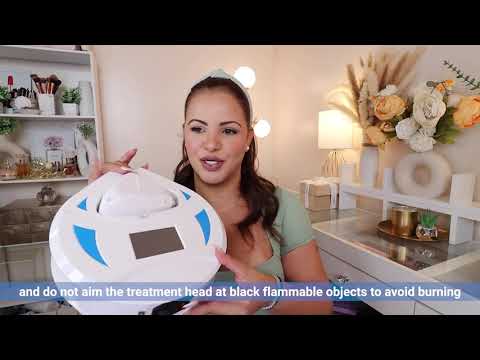
Video Guide

Explore Below

getting started

What is  the laser type?

Diode laser. 

What is diode laser hair removal?

The diode laser is the latest breakthrough technology used in hair removal. Its precise wavelength directly targets melanin in the hair follicle, penetrating 3–5 mm with minimal scattering to surrounding skin.

What is the benefits of diode laser hair removal?

Using laser hair removal, you'll get safe and pain-free, efficient and long-term hair growth reduction experience.

What's the difference between IPL and laser hair removal?

IPL and laser are both effective to prevent hair growing by using light pulse to destroy the follicle. However, they are quite different in the following aspects.

1) IPL delivers a wide spectrum of lights, while laser delivers a single concentrated beam of light.

2) Treatment time: both are effective, the laser is more efficient and needs less time.

3) Cost: IPL is cheaper than laser.

4) Results: Laser hair removal provides long-term inhibition of hair growth, and IPL is more for hair reduction.

5) Safety: both are safe.

6) Application: IPL is mainly for home use and the laser is used in Salon mostly.

7) Pain: laser is pain-free, IPL may have a little bit of pain.

8) Work on: Laser works on all skin types, IPL usually works on some skin types. In summary, IPL and laser are both safe and effective for hair removal. Which one to choose depends on your budget, pain tolerance, time, skin type, etc.

Differences between the 200W and 150W models?

Here are the key differences between the 110V 150W and 110V 200W models:

Price:

The 150W model is priced at $1,149.
The 200W model is priced at $1,299.


Power and Performance:
The 200W model delivers 50 watts more power than the 150W model, providing stronger energy output and faster treatment efficiency during hair removal sessions.
Both models achieve the same ultimate result: long-term inhibition of hair growth.


Additional Details:
The 150W model is sufficient for the vast majority of users and has been available for over three years with excellent customer feedback.

The 200W model’s higher power allows it to more effectively target melanin in hair follicles, resulting in quicker and more efficient treatments.

Will it hurt?

No, The diode laser treatment is virtually painless. ViQure diode laser hair removal device adopts TEC (Thermal Electric Cooling) cooling system and sapphire technology ensuring continuous contact cooling. You will feel comfortable and ease.

How many treatment sessions are needed?

ViQure diode laser delivers high-powered and precise light pulse, it is safe and efficient. Usually, Just one session per month is needed, and 4-6 treatments are sufficient for long-term hair reduction.

How often should I use ViQure diode hair removal at home?

To achieve the best results, we recommend using the device for 3-5 minutes on a specific area each time. Additionally, we suggest using the device every 28 days as a cycle for hair removal. Depending on the hair condition, it may take around 3-6 cycles to achieve the desired long-term inhibition of hair growth.

Is diode laser hair removal safe for dark or brown skin?

Yes, ViQure EpiPro 808nm diode laser hair removal device is suitable for all skin types.

What is  the laser type?

Diode laser. 

What is diode laser hair removal?

The diode laser is the latest breakthrough technology used in hair removal. Its precise wavelength directly targets melanin in the hair follicle, penetrating 3–5 mm with minimal scattering to surrounding skin.

What is the benefits of diode laser hair removal?

Using laser hair removal, you'll get safe and pain-free, efficient and long-term hair growth reduction experience.

What's the difference between IPL and laser hair removal?

IPL and laser are both effective to prevent hair growing by using light pulse to destroy the follicle. However, they are quite different in the following aspects.

1) IPL delivers a wide spectrum of lights, while laser delivers a single concentrated beam of light.

2) Treatment time: both are effective, the laser is more efficient and needs less time.

3) Cost: IPL is cheaper than laser.

4) Results: Laser hair removal provides long-term inhibition of hair growth, and IPL is more for hair reduction.

5) Safety: both are safe.

6) Application: IPL is mainly for home use and the laser is used in Salon mostly.

7) Pain: laser is pain-free, IPL may have a little bit of pain.

8) Work on: Laser works on all skin types, IPL usually works on some skin types. In summary, IPL and laser are both safe and effective for hair removal. Which one to choose depends on your budget, pain tolerance, time, skin type, etc.

Differences between the 200W and 150W models?

Here are the key differences between the 110V 150W and 110V 200W models:

Price:

The 150W model is priced at $1,149.
The 200W model is priced at $1,299.


Power and Performance:
The 200W model delivers 50 watts more power than the 150W model, providing stronger energy output and faster treatment efficiency during hair removal sessions.
Both models achieve the same ultimate result: long-term inhibition of hair growth.


Additional Details:
The 150W model is sufficient for the vast majority of users and has been available for over three years with excellent customer feedback.

The 200W model’s higher power allows it to more effectively target melanin in hair follicles, resulting in quicker and more efficient treatments.

Will it hurt?

No, The diode laser treatment is virtually painless. ViQure diode laser hair removal device adopts TEC (Thermal Electric Cooling) cooling system and sapphire technology ensuring continuous contact cooling. You will feel comfortable and ease.

How many treatment sessions are needed?

ViQure diode laser delivers high-powered and precise light pulse, it is safe and efficient. Usually, Just one session per month is needed, and 4-6 treatments are sufficient for long-term hair reduction.

How often should I use ViQure diode hair removal at home?

To achieve the best results, we recommend using the device for 3-5 minutes on a specific area each time. Additionally, we suggest using the device every 28 days as a cycle for hair removal. Depending on the hair condition, it may take around 3-6 cycles to achieve the desired long-term inhibition of hair growth.

Is diode laser hair removal safe for dark or brown skin?

Yes, ViQure EpiPro 808nm diode laser hair removal device is suitable for all skin types.

during treatment

*If the issue is still not resolved, please contact after-sales support and provide the SN code. Photos or videos are also appreciated to help speed up the troubleshooting process.

No.

Trouble Phenomenon

Troubleshooting Steps

When to Contact ViQure Customer Support

The power switch indicator is off and the screen has no display

Make sure the wall outlet or power strip is working properly and that the supply voltage meets the device requirements (110V/220V).

Turn off the device and disconnect the power supply. Reconnect the power cable, and then turn on the device again.

If possible, test the device with another compatible power cable.

With the device disconnected from the power supply, check the fuse near the power inlet for visible signs of burning or breakage.

If the fuse is damaged, replace it only with a fuse of the same specification.

If the power cable and fuse show no visible problems, but the power switch indicator and screen still do not turn on, do not disassemble the device. Contact ViQure Customer Support for further assistance.

The power switch indicator is on, but the screen has no display

Check whether the main device fan and treatment handle fan are running.

Turn off the device and disconnect the power supply.

Wait approximately 30 seconds, reconnect the power supply, and turn on the device again.

If the power switch indicator turns on but the screen still has no display after restarting the device, do not disassemble the device. Contact ViQure Customer Support.

The device cannot be turned off with the power switch

After the device is turned off, the screen and fans may take approximately 2–3 seconds to stop. This is normal. Wait a few seconds to determine whether the device is simply shutting down with a short delay or remains continuously on.

If the screen and fans continue running and the device does not turn off, disconnect the power supply and contact ViQure Customer Support.

The screen turns on normally, but the treatment handle fan does not run

Turn off the device and disconnect the power supply.

Make sure the treatment handle connector is fully inserted into the main device.

Tighten the threaded locking ring on the treatment handle connector.

Reconnect the power supply and turn on the device to check whether the treatment handle fan starts running.

If the treatment handle fan still does not run after reconnecting the treatment handle, stop using the device and contact ViQure Customer Support.

If the treatment handle can still produce laser output but its fan is not running, do not continue producing laser output for an extended period, as insufficient heat dissipation may damage the treatment handle.

No laser output from the treatment handle

First, check the operating status:

Make sure the Ready function on the screen is turned on.

Press and hold the Light button on the treatment handle.

Check whether the main device beeps and whether the shot count on the screen increases.

If the device beeps and the shot count increases, but there is no laser output:

If laser output stops after the device has been operating normally for a period of time, turn off the device, disconnect the power supply, and allow the main device to rest for approximately 20 minutes before testing it again.

If the device produces only one laser pulse and then immediately stops, stop testing and contact ViQure Customer Support. 

If there is no laser output from the beginning, stop using the device and contact ViQure Customer Support.

If there is no beep and the shot count does not increase:

Turn off the device and disconnect the power supply.

Make sure the treatment handle connector is fully inserted into the main device.

Tighten the threaded locking ring.

Reconnect the power supply and turn on the device.

Turn on the Ready function, press and hold the Light button, and test the device again.

Contact ViQure Customer Support if any of the following occurs:

•  The device beeps and the shot count increases, but there is still no laser output.

•  Laser output does not resume after the main device has rested for approximately 20 minutes.

•  The device produces only one laser pulse and then immediately stops.

•  There is still no beep, no increase in the shot count, and no laser output after reconnecting the treatment handle.

Abnormal cooling of the treatment handle

Before turning on the Cooling function, use your wrist or forearm to feel the temperature of the front cooling area of the treatment handle.

Turn on the Cooling function. Laser output does not need to be activated for this check.

Allow the Cooling function to run for approximately 5 minutes.

Use your wrist or forearm to check the temperature of the cooling area again. If it feels noticeably cooler after approximately 5 minutes, the cooling function is operating normally.

If the front cooling area of the treatment handle does not feel noticeably cooler after the Cooling function has been running for approximately 5 minutes, contact ViQure Customer Support.

during treatment

*If the issue is still not resolved, please contact after-sales support and provide the SN code. Photos or videos are also appreciated to help speed up the troubleshooting process.

· The power switch indicator is off and the screen has no display

Troubleshooting Steps

When to Contact ViQure Customer Support

Make sure the wall outlet or power strip is working properly and that the supply voltage meets the device requirements (110V/220V).

Turn off the device and disconnect the power supply. Reconnect the power cable, and then turn on the device again.

If possible, test the device with another compatible power cable.

With the device disconnected from the power supply, check the fuse near the power inlet for visible signs of burning or breakage.

If the fuse is damaged, replace it only with a fuse of the same specification.

If the power cable and fuse show no visible problems, but the power switch indicator and screen still do not turn on, do not disassemble the device. Contact ViQure Customer Support for further assistance.

· The power switch indicator is on, but the screen has no display

Troubleshooting Steps

When to Contact ViQure Customer Support

Check whether the main device fan and treatment handle fan are running.

Turn off the device and disconnect the power supply.

Wait approximately 30 seconds, reconnect the power supply, and turn on the device again.

If the power switch indicator turns on but the screen still has no display after restarting the device, do not disassemble the device. Contact ViQure Customer Support.

· The device cannot be turned off with the power switch

Troubleshooting Steps

When to Contact ViQure Customer Support

After the device is turned off, the screen and fans may take approximately 2–3 seconds to stop. This is normal. Wait a few seconds to determine whether the device is simply shutting down with a short delay or remains continuously on.

If the screen and fans continue running and the device does not turn off, disconnect the power supply and contact ViQure Customer Support.

· The screen turns on normally, but the treatment handle fan does not run

Troubleshooting Steps

When to Contact ViQure Customer Support

Turn off the device and disconnect the power supply.

Make sure the treatment handle connector is fully inserted into the main device.

Tighten the threaded locking ring on the treatment handle connector.

Reconnect the power supply and turn on the device to check whether the treatment handle fan starts running.

If the treatment handle fan still does not run after reconnecting the treatment handle, stop using the device and contact ViQure Customer Support.

If the treatment handle can still produce laser output but its fan is not running, do not continue producing laser output for an extended period, as insufficient heat dissipation may damage the treatment handle.

· No laser output from the treatment handle

Troubleshooting Steps

When to Contact ViQure Customer Support

First, check the operating status:

Make sure the Ready function on the screen is turned on.

Press and hold the Light button on the treatment handle.

Check whether the main device beeps and whether the shot count on the screen increases.

If the device beeps and the shot count increases, but there is no laser output:

If laser output stops after the device has been operating normally for a period of time, turn off the device, disconnect the power supply, and allow the main device to rest for approximately 20 minutes before testing it again.

If the device produces only one laser pulse and then immediately stops, stop testing and contact ViQure Customer Support. 

If there is no laser output from the beginning, stop using the device and contact ViQure Customer Support.

If there is no beep and the shot count does not increase:

Turn off the device and disconnect the power supply.

Make sure the treatment handle connector is fully inserted into the main device.

Tighten the threaded locking ring.

Reconnect the power supply and turn on the device.

Turn on the Ready function, press and hold the Light button, and test the device again.

Contact ViQure Customer Support if any of the following occurs:

•  The device beeps and the shot count increases, but there is still no laser output.

•  Laser output does not resume after the main device has rested for approximately 20 minutes.

•  The device produces only one laser pulse and then immediately stops.

•  There is still no beep, no increase in the shot count, and no laser output after reconnecting the treatment handle.

· abnormal cooling of the treatment handle

Troubleshooting Steps

When to Contact ViQure Customer Support

Before turning on the Cooling function, use your wrist or forearm to feel the temperature of the front cooling area of the treatment handle.

Turn on the Cooling function. Laser output does not need to be activated for this check.

Allow the Cooling function to run for approximately 5 minutes.

Use your wrist or forearm to check the temperature of the cooling area again. If it feels noticeably cooler after approximately 5 minutes, the cooling function is operating normally.

If the front cooling area of the treatment handle does not feel noticeably cooler after the Cooling function has been running for approximately 5 minutes, contact ViQure Customer Support.

power & voltage

voltage compatibility by region

Region Country Voltage Plug Type Recommended Version Notes
North America United States (US) 120V A/B US
Canada (CA)
Europe Germany (DE) 230V C/F EU
France (FR) C/E
Netherlands (NL) C/F
Belgium (BE) E
Austria (AT) C/F
Portugal (PT) C/F
Denmark (DK) C/K
Sweden (SE) C/F
Norway (NO) C/F
Finland (FI) C/F
Poland (PL) C/E
Czech Republic (CZ) C/E
Hungary (HU) C/F
Romania (RO) C/F
Italy (IT) C/F/L EU + IT Plug Adapter Special plug
Switzerland (CH) J EU + Swiss Plug Adapter Special plug
Oceania Australia (AU) 230V I AU
New Zealand (NZ)
UK Plug Region United Kingdom (GB) 230V G UK
Ireland (IE)
Middle East Saudi Arabia (SA) 230V A/B/G UK
United Arab Emirates (AE) C/G
Qatar (QA) 240V D/G
Kuwait (KW) C/G
Israel (IL) 230V C/H/M EU + IL Plug Adapter Special plug
Southeast Asia Singapore (SG) 230V G UK
South America Brazil (BR) 127V/220V N Dual / Wide-Voltage Version Dual voltage

video guide

Alt image

still have questions?

feel free to contact us.

Contact our support team | Email address: support@viqure.com

Contact our support team | Email address: support@viqure.com

Replies within 24 business hours

60-day money-back guarantee included