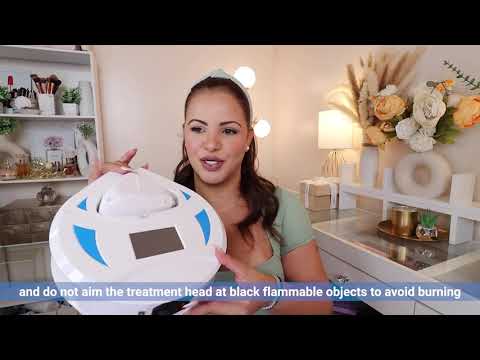
Diode laser hair removal is a clinically established technology widely used in professional clinics for long-term hair reduction.
The 808nm wavelength is considered a gold standard because it balances melanin absorption with deep skin penetration (approximately 2–4 mm), effectively targeting hair follicles. ViQure EpiPro brings this technology home, delivering up to 30 J/cm² of energy for powerful, targeted hair reduction.
Is ViQure EpiPro the same as professional laser hair removal treatments?
EpiPro uses the same 808nm diode laser technology as professional clinics, but with different treatment settings. Professional systems, such as LightSheer, can deliver up to 100 J/cm² with pulse durations of 5–400 ms, while EpiPro delivers up to 30 J/cm² with pulse durations of 40–100 ms. These differences may mean more gradual results and additional sessions at home. However, EpiPro offers a convenient, cost-effective alternative without repeated clinic visits.
What's the difference between IPL and laser hair removal?
IPL and diode laser hair removal differ in several ways:
Technology & Energy:
IPL uses broad-spectrum light (500–1200nm), while diode lasers use a focused wavelength, such as EpiPro's 808nm. EpiPro delivers up to 30 J/cm², compared with approximately 4–6 J/cm² for many home IPL devices.
Suitability & Effectiveness:
Diode lasers offer more targeted energy delivery, particularly for coarse, dark hair. Suitability for different skin tones depends on the device and treatment settings.
Treatment Schedule:
EpiPro recommends 4–6 initial monthly sessions, while IPL devices typically require more frequent treatments initially, followed by maintenance.
Pricing:
IPL devices are generally less expensive, while diode laser devices often cost more due to specialized laser hardware and higher energy capabilities.
What's the difference between the EpiPro 150W and 200W models?
The main difference is maximum energy output: 150W delivers up to 23 J/cm², while 200W delivers up to 30 J/cm². The 200W model provides greater treatment flexibility, particularly for thick, coarse, and dense hair.
However, higher power isn't necessary for everyone. The 150W model may be a better starting option for:
Darker skin tones:
Lower energy settings may help reduce the risk of skin irritation or burns.
Low pain tolerance:
More gradual increases in energy may improve comfort.
Sensitive skin:
A more conservative approach may help minimize discomfort. Both models can provide long-term hair reduction, although treatment duration and results may vary.
How often should I use ViQure diode hair removal at home?
We recommend treating each area once every month. This interval aligns with the hair growth cycle, allowing newly active follicles to enter the anagen (growth) phase, when laser treatment is most effective. More frequent treatments won't necessarily improve results.
Why are multiple laser hair removal sessions necessary?
Hair grows in three stages: anagen (growth), catagen (transition), and telogen (resting). Laser treatment is most effective during the anagen phase, but not all hairs are in this phase simultaneously.
Initial Treatment:
4-6 sessions are needed to target hair follicles across different growth cycles and achieve significant hair reduction.
Maintenance:
Laser treatment provides long-term hair reduction, not guaranteed permanent removal. Some hair may regrow due to hormonal changes or previously inactive follicles, requiring occasional touch-ups.
How long does the ViQure EpiPro laser hair removal device last?
EpiPro delivers up to 5 million laser pulses, compared with approximately 300,000–450,000 flashes offered by many popular IPL devices. That's enough for an estimated 300+ full-body treatment sessions, providing a potentially lifetime-long solution for personal use or family sharing. Actual lifespan depends on usage frequency, treatment coverage, and proper maintenance.
How do I choose the right energy level and treatment settings?
Before your first treatment, shave a small test area, apply coupling gel, and perform a patch test. Wait 24 hours and proceed only if there is no unusual redness, swelling, burns, or changes in skin color or texture.
For subsequent treatments:
Energy & Frequency:
Adjust the settings based on your treatment area and skin tone, following the recommendations in the user manual.
Treatment Duration & Intensity:
Start with the recommended treatment time and energy settings in the user manual, then make adjustments based on your skin's response and comfort level. Aim for the appropriate treatment endpoints without excessive exposure.
Beginners & Sensitive Skin
Start with the lowest energy level and pulse repetition rate (Hz), gradually increasing only as tolerated.
Does EpiPro work on blonde, red, gray, or white hair?
EpiPro's 808nm diode laser works best on dark hair (black or brown) because it precisely targets melanin in the hair follicles.
For blonde, red, gray, or white hair, results are generally limited due to lower laser energy absorption. Higher-power models may offer some benefit if sufficient pigment is present, but more treatment sessions may be needed. Individual results may vary.
Is ViQure EpiPro safe for darker skin tones?
EpiPro is designed for Fitzpatrick skin types I–VI, including brown and dark skin. Laser hair removal works best when there is a greater contrast between hair and skin color. Darker skin contains more epidermal melanin, requiring extra precautions to minimize the risk of burns and pigmentation changes.
For darker skin tones (IV–VI), we recommend:
Cooling Gel:
Apply a 2–3 mm thick layer of clear coupling gel.
Energy & Frequency:
Start at the lowest energy setting and use low energy with a high pulse repetition rate (Hz).
Gliding Technique:
Glide the treatment window quickly across the skin to avoid repeatedly exposing the same area to laser energy over a short period.
Safety Precautions:
Perform a patch test before treatment and keep the cooling function activated throughout the session.
Which areas of the face and body can I treat with EpiPro?
EpiPro can be used on the face (cheeks), arms, legs, underarms, back, chest, outer bikini line, inner thighs, and buttocks.
Avoid:
Eyes and surrounding areas, lips, mucous membranes, genitals (including inner intimate areas), nipples, areolas, anus, and scalp.
Do not treat:
Tattoos, moles, scars, or broken skin.
Sensitive Areas:
For areas such as the bikini line, inner thighs, and buttocks, always start at the lowest energy setting, perform a patch test, apply coupling gel, and keep the cooling function on throughout treatment.
How many EpiPro treatments are needed for long-term hair reduction?
EpiPro's 808nm diode laser delivers up to 30 J/cm², approximately 3–6 times the energy density of many home IPL devices (4–6 J/cm²), allowing more targeted energy delivery to hair follicles.
Treatment Frequency:
Once a month.
Initial Treatment Course:
Typically 4–6 sessions for long-term hair reduction. Results vary depending on hair density and individual factors, and exceptionally dense hair may require additional sessions to achieve the desired results.
Maintenance:
Occasional touch-up treatments as needed to maintain results.
How can I tell if a single treatment is effective (Treatment Endpoints)?
Clinical treatment endpoints are visible signs that hair follicles have responded to laser energy. Three possible indicators include:
Hair Singeing:
Hair curls or produces a slight singed smell.
Perifollicular Edema:
Mild redness or swelling around the hair follicles.
Hair Shedding:
Some treated hairs become loose and may slide out easily without resistance.
Once these endpoints appear, stop treating the area to avoid excessive exposure. Treated hairs typically shed naturally within 7–14 days, although some may take longer.
What should I do before using EpiPro?
To ensure safe and effective treatment, follow these preparation steps:
Patch Test:
Before your first treatment, apply coupling gel to a small test area and perform a patch test. Wait 24 hours to check for adverse reactions.
Hair Preparation:
Avoid waxing, plucking, or epilating for at least 2 weeks. Shave 24–48 hours before treatment, leaving approximately 1–2 mm of hair.
Sun Protection:
Avoid tanning and direct sun exposure for at least 2 weeks before treatment.
Skin Preparation:
Clean the treatment area, removing makeup, lotions, oils, and fragrances. Do not treat irritated, sunburned, or broken skin.
Eye Protection:
Always wear the provided protective eyewear during treatment.
How should I care for my skin after using EpiPro?
To protect your skin and minimize irritation after treatment, follow these precautions:
First 24 Hours:
Avoid hot showers, hot baths, and harsh skincare products.
First 48 Hours:
Avoid scratching, rubbing, or exfoliating the treated area.
First 72 Hours:
Avoid saunas, hot tubs, strenuous exercise, and excessive sweating.
Skin Care:
Apply a cool compress for 5–10 minutes if needed. Keep the skin clean and moisturized with gentle, fragrance-free products.
Sun Protection:
Avoid direct sun exposure and apply broad-spectrum SPF 30+ sunscreen to exposed areas.
If you experience unusual or persistent discomfort, contact ViQure Customer Support.
Does ViQure EpiPro laser hair removal hurt?
Compared with IPL's broad-spectrum light, EpiPro's 808nm diode laser delivers more concentrated energy to hair follicles, allowing more precise targeting with less unnecessary irritation to surrounding skin.
Combined with its advanced cooling system, this helps minimize discomfort. Most EpiPro customers report minimal pain, while some with sensitive skin describe a mild snapping sensation, similar to a rubber band against the skin. Discomfort can be reduced by lowering the energy level, applying cooling gel, or using a cool compress after treatment.
quick help for your device
* If the issue stil not resolved, please contact after-sales support and provide the SN code. Photos or videos are also appreciated to help speed up the troubleshooting process.
Troubleshooting
No.
Trouble Phenomenon
Troubleshooting Steps
When to Contact ViQure Customer Support
After the power switch is turned on, its indicator light remains off, and the screen shows no display.
Make sure the wall outlet or power strip is working properly and that the supply voltage meets the device requirements (110V/220V).
Turn off the device and disconnect the power supply. Reconnect the power cable, and then turn on the device again.
If possible, test the device with another compatible power cable.
With the device disconnected from the power supply, check the fuse near the power inlet for visible signs of burning or breakage.
If the fuse is damaged, replace it only with a fuse of the same specification.
If the power cable and fuse show no visible problems, but the power switch indicator and screen still do not turn on, do not disassemble the device. Contact ViQure Customer Support for further assistance.
After the power switch is turned on, its indicator light turns on, but the screen shows no display.
Check whether the main device fan and treatment handle fan are running.
Turn off the device and disconnect the power supply.
Wait approximately 30 seconds, reconnect the power supply, and turn on the device again.
If the power switch indicator turns on but the screen still has no display after restarting the device, do not disassemble the device. Contact ViQure Customer Support.
The device cannot be turned off with the power switch
After the device is turned off, the screen and fans may take approximately 2–3 seconds to stop. This is normal. Wait a few seconds to determine whether the device is simply shutting down with a short delay or remains continuously on.
If the screen and fans continue running and the device does not turn off, disconnect the power supply and contact ViQure Customer Support.
The screen turns on normally, but the treatment handle fan does not run
Turn off the device and disconnect the power supply.
Make sure the treatment handle connector is fully inserted into the main device.
Tighten the threaded locking ring on the treatment handle connector.
Reconnect the power supply and turn on the device to check whether the treatment handle fan starts running.
If the treatment handle fan still does not run after reconnecting the treatment handle, stop using the device and contact ViQure Customer Support.
If the treatment handle can still produce laser output but its fan is not running, do not continue producing laser output for an extended period, as insufficient heat dissipation may damage the treatment handle.
No laser output from the treatment handle
First, check the operating status:
Make sure the Ready function on the screen is turned on.
Press and hold the Light button on the treatment handle.
Check whether the main device beeps and whether the shot count on the screen increases.
If the device beeps and the shot count increases, but there is no laser output:
If laser output stops after the device has been operating normally for a period of time, turn off the device, disconnect the power supply, and allow the main device to rest for approximately 20 minutes before testing it again.
If the device produces only one laser pulse and then immediately stops, stop testing and contact ViQure Customer Support.
If there is no laser output from the beginning, stop using the device and contact ViQure Customer Support.
If there is no beep and the shot count does not increase:
Turn off the device and disconnect the power supply.
Make sure the treatment handle connector is fully inserted into the main device.
Tighten the threaded locking ring.
Reconnect the power supply and turn on the device.
Turn on the Ready function, press and hold the Light button, and test the device again.
Contact ViQure Customer Support if any of the following occurs:
• The device beeps and the shot count increases, but there is still no laser output.
• Laser output does not resume after the main device has rested for approximately 20 minutes.
• The device produces only one laser pulse and then immediately stops.
• There is still no beep, no increase in the shot count, and no laser output after reconnecting the treatment handle.
Abnormal cooling of the treatment handle
Before turning on the Cooling function, use your wrist or forearm to feel the temperature of the front cooling area of the treatment handle.
Turn on the Cooling function. Laser output does not need to be activated for this check.
Allow the Cooling function to run for approximately 5 minutes.
Use your wrist or forearm to check the temperature of the cooling area again. If it feels noticeably cooler after approximately 5 minutes, the cooling function is operating normally.
If the front cooling area of the treatment handle does not feel noticeably cooler after the Cooling function has been running for approximately 5 minutes, contact ViQure Customer Support.
quick help for your device
* If the issue stil not resolved, please contact after-sales support and provide the SN code. Photos or videos are also appreciated to help speed up the troubleshooting process.
Troubleshooting
· After the power switch is turned on, its indicator light remains off, and the screen shows no display.
Troubleshooting Steps
When to Contact ViQure Customer Support
Make sure the wall outlet or power strip is working properly and that the supply voltage meets the device requirements (110V/220V).
Turn off the device and disconnect the power supply. Reconnect the power cable, and then turn on the device again.
If possible, test the device with another compatible power cable.
With the device disconnected from the power supply, check the fuse near the power inlet for visible signs of burning or breakage.
If the fuse is damaged, replace it only with a fuse of the same specification.
If the power cable and fuse show no visible problems, but the power switch indicator and screen still do not turn on, do not disassemble the device. Contact ViQure Customer Support for further assistance.
· After the power switch is turned on, its indicator light turns on, but the screen shows no display.
Troubleshooting Steps
When to Contact ViQure Customer Support
Check whether the main device fan and treatment handle fan are running.
Turn off the device and disconnect the power supply.
Wait approximately 30 seconds, reconnect the power supply, and turn on the device again.
If the power switch indicator turns on but the screen still has no display after restarting the device, do not disassemble the device. Contact ViQure Customer Support.
· The device cannot be turned off with the power switch
Troubleshooting Steps
When to Contact ViQure Customer Support
After the device is turned off, the screen and fans may take approximately 2–3 seconds to stop. This is normal. Wait a few seconds to determine whether the device is simply shutting down with a short delay or remains continuously on.
If the screen and fans continue running and the device does not turn off, disconnect the power supply and contact ViQure Customer Support.
· The screen turns on normally, but the treatment handle fan does not run
Troubleshooting Steps
When to Contact ViQure Customer Support
Turn off the device and disconnect the power supply.
Make sure the treatment handle connector is fully inserted into the main device.
Tighten the threaded locking ring on the treatment handle connector.
Reconnect the power supply and turn on the device to check whether the treatment handle fan starts running.
If the treatment handle fan still does not run after reconnecting the treatment handle, stop using the device and contact ViQure Customer Support.
If the treatment handle can still produce laser output but its fan is not running, do not continue producing laser output for an extended period, as insufficient heat dissipation may damage the treatment handle.
· No laser output from the treatment handle
Troubleshooting Steps
When to Contact ViQure Customer Support
First, check the operating status:
Make sure the Ready function on the screen is turned on.
Press and hold the Light button on the treatment handle.
Check whether the main device beeps and whether the shot count on the screen increases.
If the device beeps and the shot count increases, but there is no laser output:
If laser output stops after the device has been operating normally for a period of time, turn off the device, disconnect the power supply, and allow the main device to rest for approximately 20 minutes before testing it again.
If the device produces only one laser pulse and then immediately stops, stop testing and contact ViQure Customer Support.
If there is no laser output from the beginning, stop using the device and contact ViQure Customer Support.
If there is no beep and the shot count does not increase:
Turn off the device and disconnect the power supply.
Make sure the treatment handle connector is fully inserted into the main device.
Tighten the threaded locking ring.
Reconnect the power supply and turn on the device.
Turn on the Ready function, press and hold the Light button, and test the device again.
Contact ViQure Customer Support if any of the following occurs:
• The device beeps and the shot count increases, but there is still no laser output.
• Laser output does not resume after the main device has rested for approximately 20 minutes.
• The device produces only one laser pulse and then immediately stops.
• There is still no beep, no increase in the shot count, and no laser output after reconnecting the treatment handle.
· abnormal cooling of the treatment handle
Troubleshooting Steps
When to Contact ViQure Customer Support
Before turning on the Cooling function, use your wrist or forearm to feel the temperature of the front cooling area of the treatment handle.
Turn on the Cooling function. Laser output does not need to be activated for this check.
Allow the Cooling function to run for approximately 5 minutes.
Use your wrist or forearm to check the temperature of the cooling area again. If it feels noticeably cooler after approximately 5 minutes, the cooling function is operating normally.
If the front cooling area of the treatment handle does not feel noticeably cooler after the Cooling function has been running for approximately 5 minutes, contact ViQure Customer Support.